Understanding the Studio Look
A professional studio portrait is defined by three core elements: a clean background, controlled lighting, and a sharp, well-composed subject. The most popular studio aesthetic features a plain white or neutral background — free from distractions — keeping all visual attention on the subject. This minimalist style is a staple in fashion, branding, and editorial photography for good reason.
But here’s the exciting part: you no longer need a physical studio to achieve this look. With the right AI prompt, you can recreate it entirely through text.
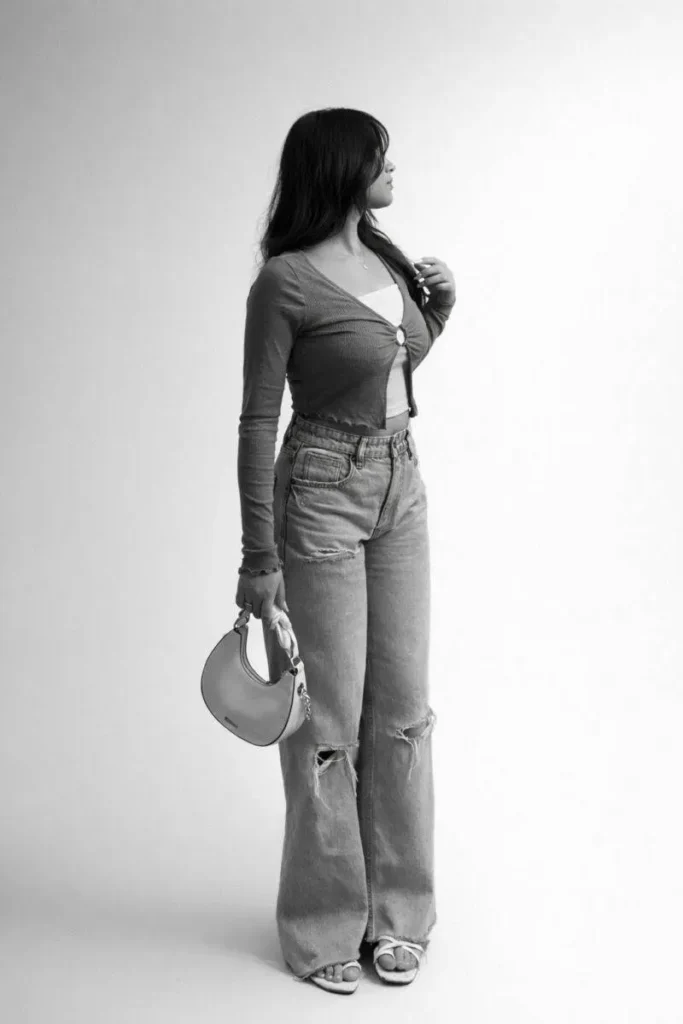
The Power of a Well-Crafted Prompt
At PromptZen, we believe that a great output starts with a great prompt. When it comes to studio portrait transformations, your prompt needs to be specific, structured, and intentional.
Here’s an example of a high-performing studio portrait prompt:
Change the background to a clean, professional studio white background. Keep the subject sharp and natural, with soft, even studio lighting, minimal shadows, and a high-key look. Use realistic colors and smooth edges around the subject. Enhance the lighting to ultra-realistic studio quality with one-sided directional lighting. Convert the final image to black and white while keeping the face identical and the cutout seamlessly clean — as if photographed in a real studio.
Breaking this prompt down, you’ll notice it covers:
- Background — clean white studio
- Lighting style — soft, high-key, one-sided
- Subject preservation — face unchanged, natural textures intact
- Output style — black and white, ultra-realistic
- Edge quality — smooth, seamless cutout
Each element plays a role in guiding the AI toward a professional result.
Lighting Techniques That Make the Difference
Lighting is where amateurs and professionals truly diverge — and AI is no different. To achieve an ultra-realistic studio effect through prompting, you need to specify the type of lighting, not just ask for “good lighting.”
One-sided (directional) lighting creates depth and dimension. It places a subtle shadow on one side of the face, enhancing bone structure and giving the portrait a cinematic, editorial quality.
Soft, diffused lighting ensures smooth transitions between light and shadow. Harsh highlights or deep unnatural shadows break realism instantly. When you prompt for “soft studio lighting with minimal shadows,” you’re telling the AI to simulate the effect of a professional softbox setup.
Combining both — a strong directional key light with soft fill — is the secret behind truly convincing studio portraits.
Why Black and White Works So Well
Converting a portrait to black and white isn’t just an aesthetic choice — it’s a strategic one. Removing color forces the viewer’s eye toward texture, contrast, form, and expression. In studio portraits, this creates a timeless, high-art quality that color sometimes can’t achieve.
When prompting for black and white conversion, always include tonal instructions:
- Preserve highlight detail (avoid blown-out whites)
- Retain shadow depth (avoid crushed blacks)
- Maintain mid-tone balance for natural skin texture
The result should feel both classic and contemporary — a clean, crisp monochrome image with real visual impact.
Clean Cutouts: The Make-or-Break Detail
Nothing breaks the illusion of a studio portrait faster than a rough, jagged cutout. Visible artifacts around hair, clothing edges, or skin instantly signal “AI-edited” to the viewer.
This is why your prompt must explicitly address edge quality. Phrases like:
- “clean, precise subject cutout”
- “smooth edges with natural blending”
- “preserve fine hair strands and fabric detail”
…signal to the AI that edge precision is a priority. Modern AI tools are capable of detecting individual hair strands and subtle fabric textures — but only if you ask for it clearly.
The goal is simple: when someone looks at the final image, they should genuinely believe it was shot in a professional studio.